From a scribbled-on pattern to a cut-ready file
Everything below is a real pattern going through the real app — this is exactly what you'll see, start to finish.
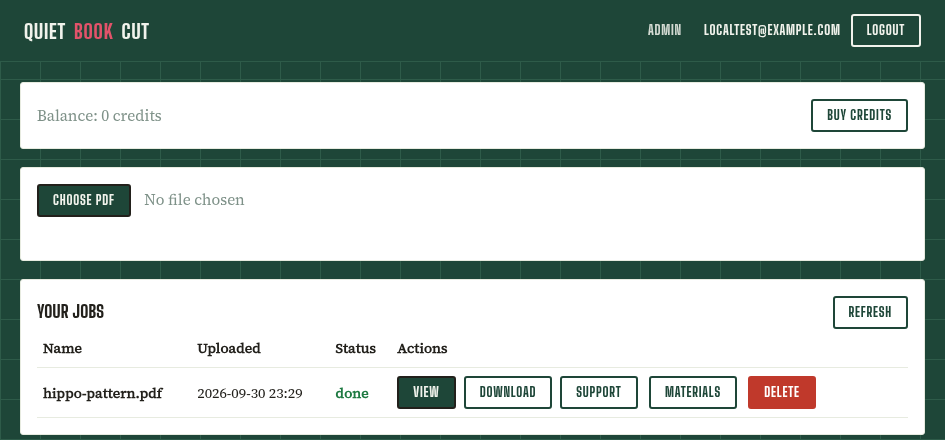
Upload your PDF
A scan or photo of your pattern — hand-drawn lines, handwritten color notes, coffee rings and all. No cleaning it up first.
PDF only, for now — it's the one format that keeps your pattern's real physical size intact. Your scanner will likely scan to PDF.
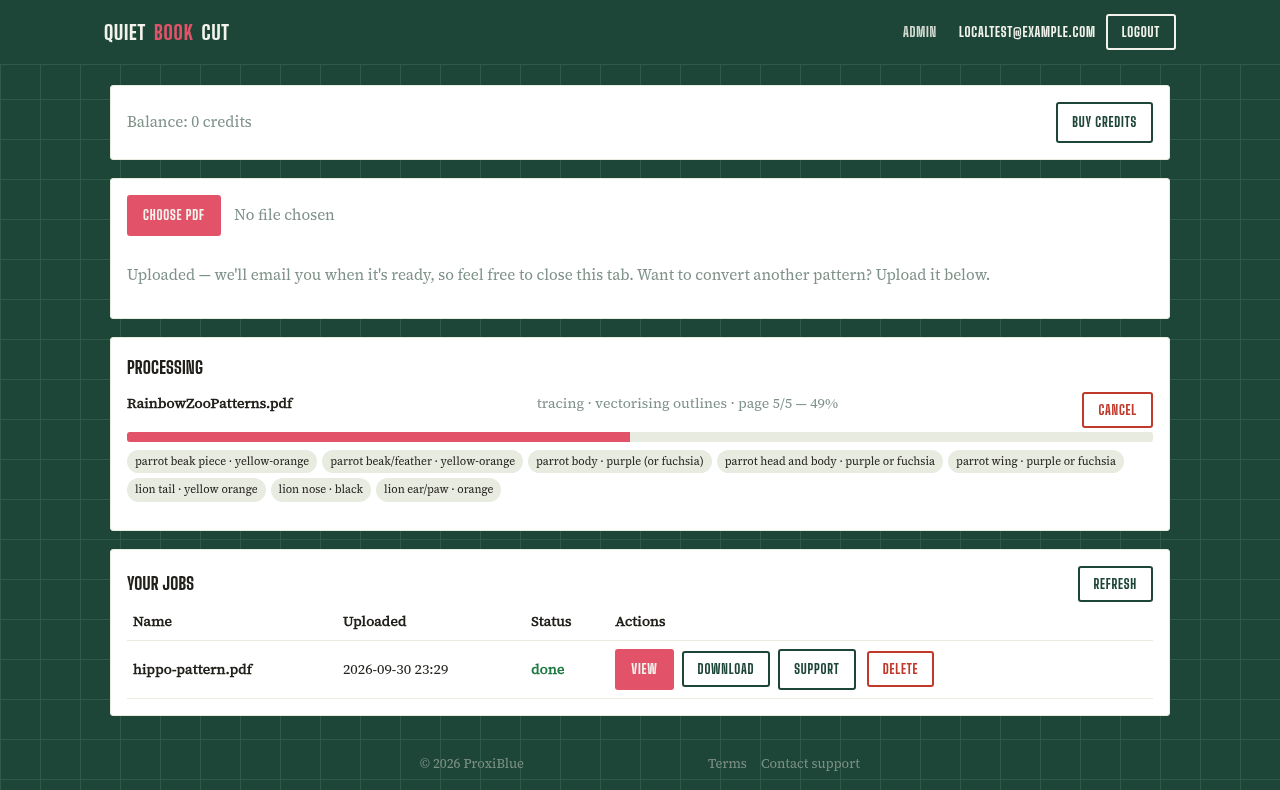
Watch it find every piece, live
No spinner, no guessing — a running feed shows each piece as it's identified, straight off the page: "parrot wing · purple or fuchsia", "lion tail · yellow orange"…
Most patterns finish in a few minutes. Close the tab if you like — we'll email you when it's ready.
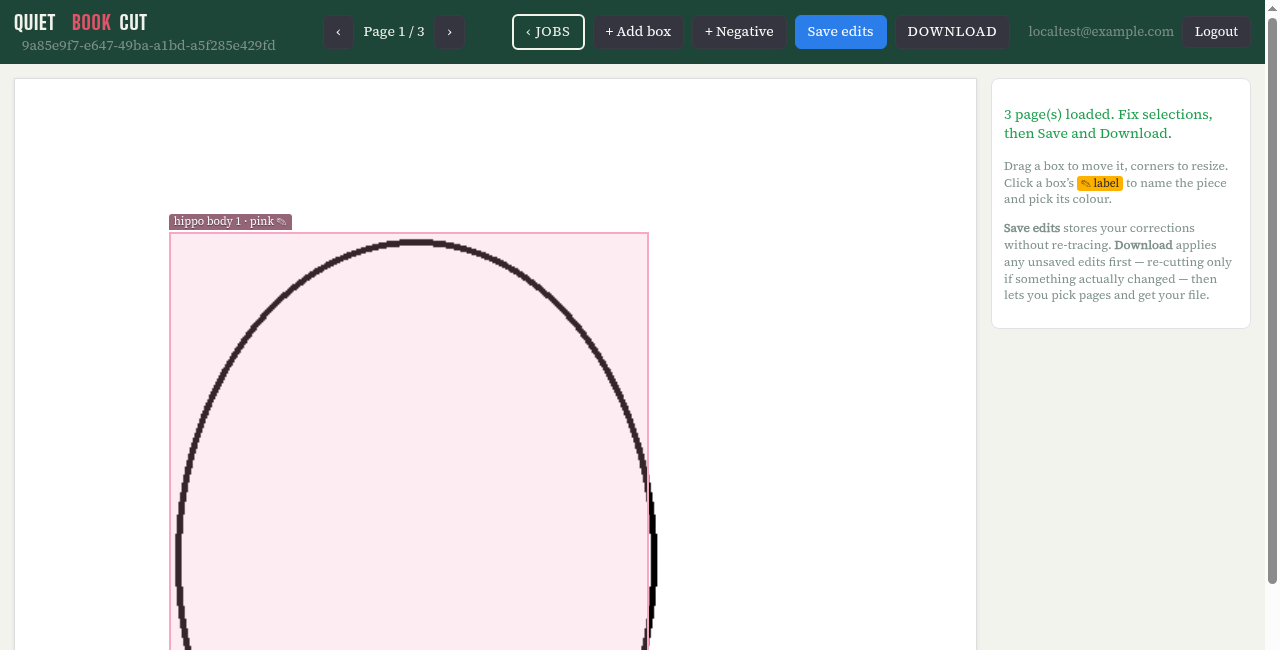
Fix anything that needs it
Drag a box to move or resize it, relabel a piece, or draw a negative box to mask out a stray mark. Most patterns need no changes at all — this is just there for the occasional stubborn page. Full editor reference →
Converting is always free. If a whole page comes out badly wrong, or has more defects than a quick fix can reasonably cover, open a support ticket with a screenshot — you'll get a download credit refund for any credits spent on that download.
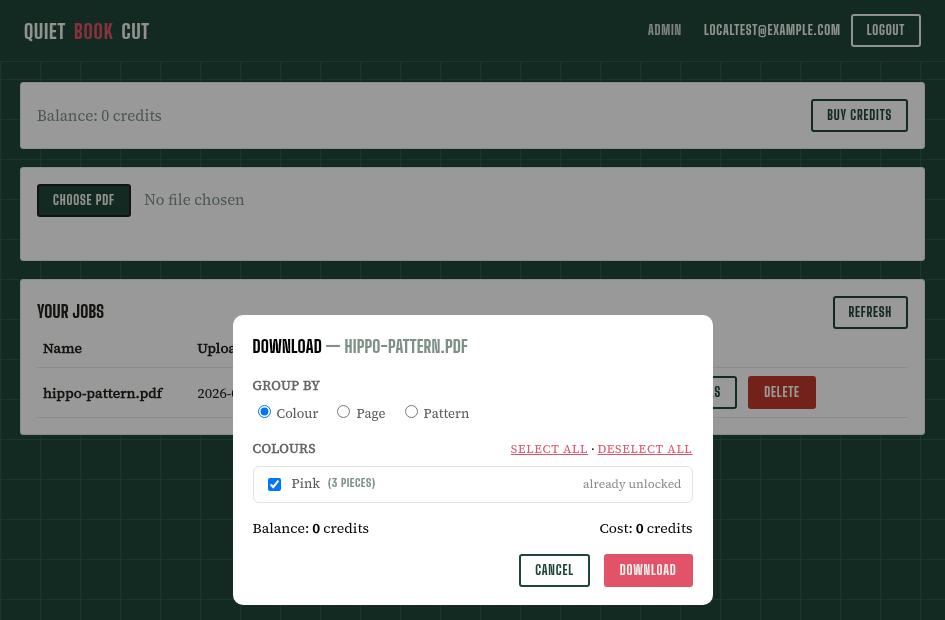
Download, grouped your way
By color (the default — everything you'll cut from one sheet, together), by page, or by pattern. Pick exactly which groups you want, hit download, and watch real progress while it re-traces — no guessing whether it's stuck.
- Import anywhere. The SVG opens straight in Sure Cuts A Lot, Cricut Design Space, or any cutter software that reads a standard SVG.
- Pay once, keep it. Every piece you unlock is yours to re-download any time — next month, next year, no re-buying.
- Recolor without re-cutting. Changed your mind on a color? Fix one piece in the correction editor and apply it to every matching piece at once.
- 🧵 Check your fabric needs anytime. Every finished job has its own Materials button on the jobs page — a rough shopping-list estimate per color, independent of what you've downloaded so far.
- 🧱 No PDF? Try Pattern Maker. Pick a classic fable or describe your own story and it builds a matching felt quiet-book pattern from scratch — same jobs list, same correction editor, same download options as an uploaded PDF. Only one Pattern Maker build runs at a time, so starting a second one while another is still going just queues it (shown as "pending") rather than racing it for the same machine. Builds can take a while with a large piece count — close the tab if you like, we'll email you when it's done, same as a regular upload.
Got a pattern sitting in a drawer?
Converting is always free, and you get 5 free pattern downloads every month — no card required to try it.
Get started free