Before and after
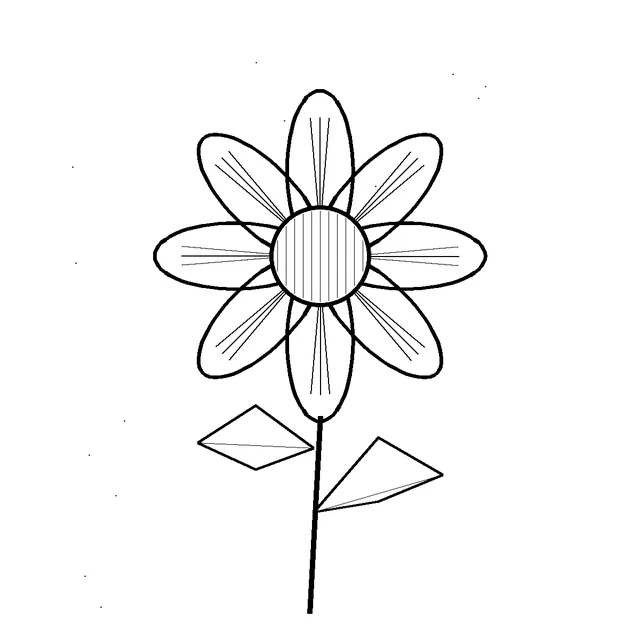
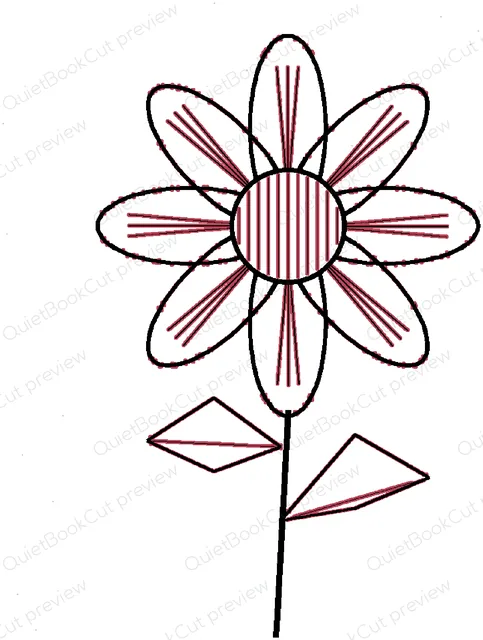
How it works
- Upload a photo, scan or PDF of black line art.
- Choose the size — finished width or height, in mm or inches — and the thinnest line you can weed (0.8 mm is a good start for adhesive vinyl).
- Check the preview: your lines in black, added ink in pink, gaps too narrow to weed in blue, and a short report of what was thickened or removed — with the size the drawing works best at when yours is too small for its detail.
- Download one SVG or DXF with the whole drawing as a single shape, ready to cut.
Why Cricut won't cut your line art as-is
A drawing that looks crisp on screen is often far too fine for vinyl: in one tattoo flash we tested, two thirds of the ink was under 0.4 mm wide at 30 cm tall. The blade cuts lines like that, but the strips tear or lift when you weed. This tool traces the drawing as one decal, grows only the parts that are too thin, drops stray specks and tells you where gaps between lines may still be hard to weed.
Frequently asked
- What kind of art works?
- Black line art on white or light paper: your own drawings, tattoo flash, colouring pages, hand lettering and line illustrations. Upload a JPEG, PNG or WebP image or a PDF (only its first page is used). Photos of colour artwork or filled-in pictures can't be cut as one decal.
- Why does it thicken my lines?
- Vinyl lines thinner than about 0.8 mm tear or lift when you weed them. Every part of a line thinner than the minimum width you choose is grown to that width; lines already thick enough are left as drawn. The preview shows the added ink in pink, so you can see exactly what changed.
- Will it import into Cricut Design Space at the right size?
- Yes. The SVG is one shape (a single compound path) sized in inches, the way Design Space reads SVG files, so it lands on the canvas at exactly the size you chose, ready to cut. The DXF opens at the same size in Silhouette Studio (including the free Basic edition), Brother CanvasWorkspace and other cutter software.
- Can I change the size after uploading?
- Yes. Set the finished width or height in mm or inches and the minimum line width, and the preview redraws without a new upload. Once a decal is unlocked you can download it again at any size, as SVG or DXF, at no extra cost.
- How much does it cost?
- Uploading and previewing are free. Downloading a decal costs 5 credits, taken from your free monthly credits first (a free account gets 25 credits every month). After that, every size and format of the same drawing is free, even if you upload it again.
- Can I use any picture I find online?
- No. Only upload art you own or have permission to use: your own drawings, or artwork whose licence lets you cut it. QuietBookCut is a tool for making your own decals, not for copying someone else's work.